 ドキュメント
動作の再生
1. 実行環境:ターミナルで以下のコマンドを実行します
conda activate lerobot
2. プログラムフォルダに移動します。ターミナルで以下のコマンドを入力します
cd lerobot-develop/lerobot-main
3. 以下のコマンドを実行すると、以前収集したデータを再生できます:
python lerobot/scripts/control_robot.py \
--robot.type=so100 \
--control.type=replay \
--control.fps=30 \
--control.repo_id=/home/sunrise/lerobot-develop/lerobot-main/datasets/so100_test1 \
--control.episode=0
パラメータの説明:
| No. | 名称 | パラメータの説明 |
|---|---|---|
| 1 | repo id | so100_test1 はデータ収集時のものと一致させる必要があります。 |
| 2 | episode | 収集した何番目のデータかを指定します。0 は 1 番目のデータを表します。 |
4. 再生の開始
スクリプトを実行すると、ターミナルが一瞬止まったように見えます。10 秒余り待つと、ロボットアームが以前収集したデータの 1 つを再現します。
よくある問題と解決方法
問題 1: 動作再生スクリプトの実行時に以下の問題が発生する場合
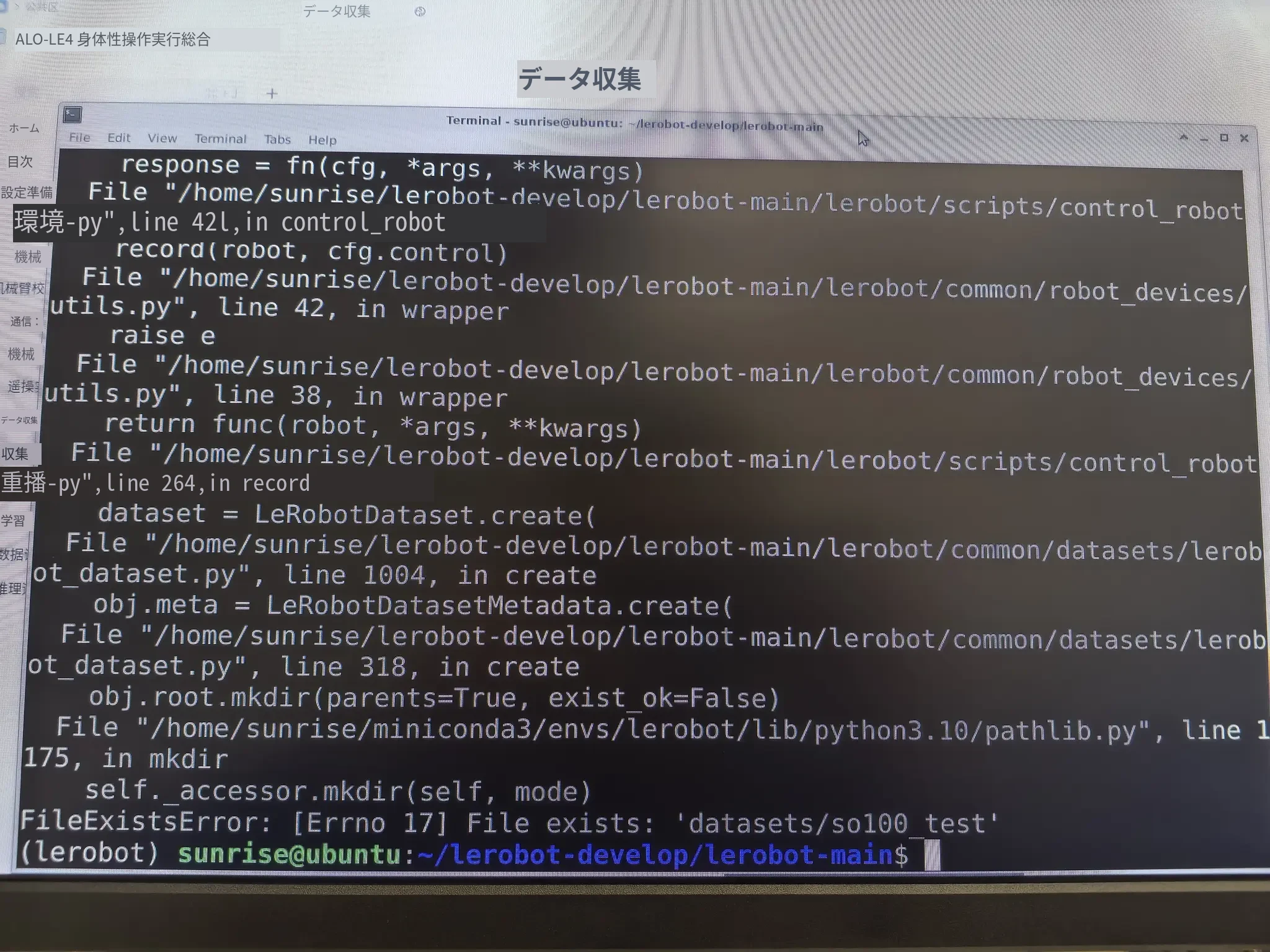
原因:
datasets のバージョンの問題によるものです。
解決方法:
ターミナルでインストールコマンドを実行します。
pip uninstall datasets pip install datasets==3.6.0
説明ファイル内の該当バージョンを置き換えます。
以下のパスにある pyproject.toml ファイルを探します。

以下のコマンドでこのファイルを開きます。
sudo micro pyproject.toml
datasets>=2.19.0,<4.4.1
datasets のインストール時に以下のエラーが発生する場合:
  WARNING: The script tqdm is installed in '/home/sunrise/.local/bin' which is not on PATH.
  Consider adding this directory to PATH or, if you prefer to suppress this warning, use --no-warn-script-location.
  WARNING: The script normalizer is installed in '/home/sunrise/.local/bin' which is not on PATH.
  Consider adding this directory to PATH or, if you prefer to suppress this warning, use --no-warn-script-location.
  WARNING: The script httpx is installed in '/home/sunrise/.local/bin' which is not on PATH.
  Consider adding this directory to PATH or, if you prefer to suppress this warning, use --no-warn-script-location.
  WARNING: The scripts hf and tiny-agents are installed in '/home/sunrise/.local/bin' which is not on PATH.
  Consider adding this directory to PATH or, if you prefer to suppress this warning, use --no-warn-script-location.
  WARNING: The script datasets-cli is installed in '/home/sunrise/.local/bin' which is not on PATH.
  Consider adding this directory to PATH or, if you prefer to suppress this warning, use --no-warn-script-location.
以下の手順を参考に PATH を設定してください。
sudo micro ~/.bashrc
以下の行を bashrc ファイルの最終行に追加してから、環境変数を設定します。
export PATH="$HOME/.local/bin:$PATH"
source ~/.bashrc